The 3D rendering is built on ditredi.
Features
PuzzleCubeState— a 3x3 cube model of 27 cubies.- All 12 outer quarter-turns plus the 3 middle slices (M/E/S), each direction.
- Reproducible scrambles with a seedable RNG.
- Solved-state detection, deep copy and JSON (de)serialisation.
- Per-sticker painting for "colour my cube" flows.
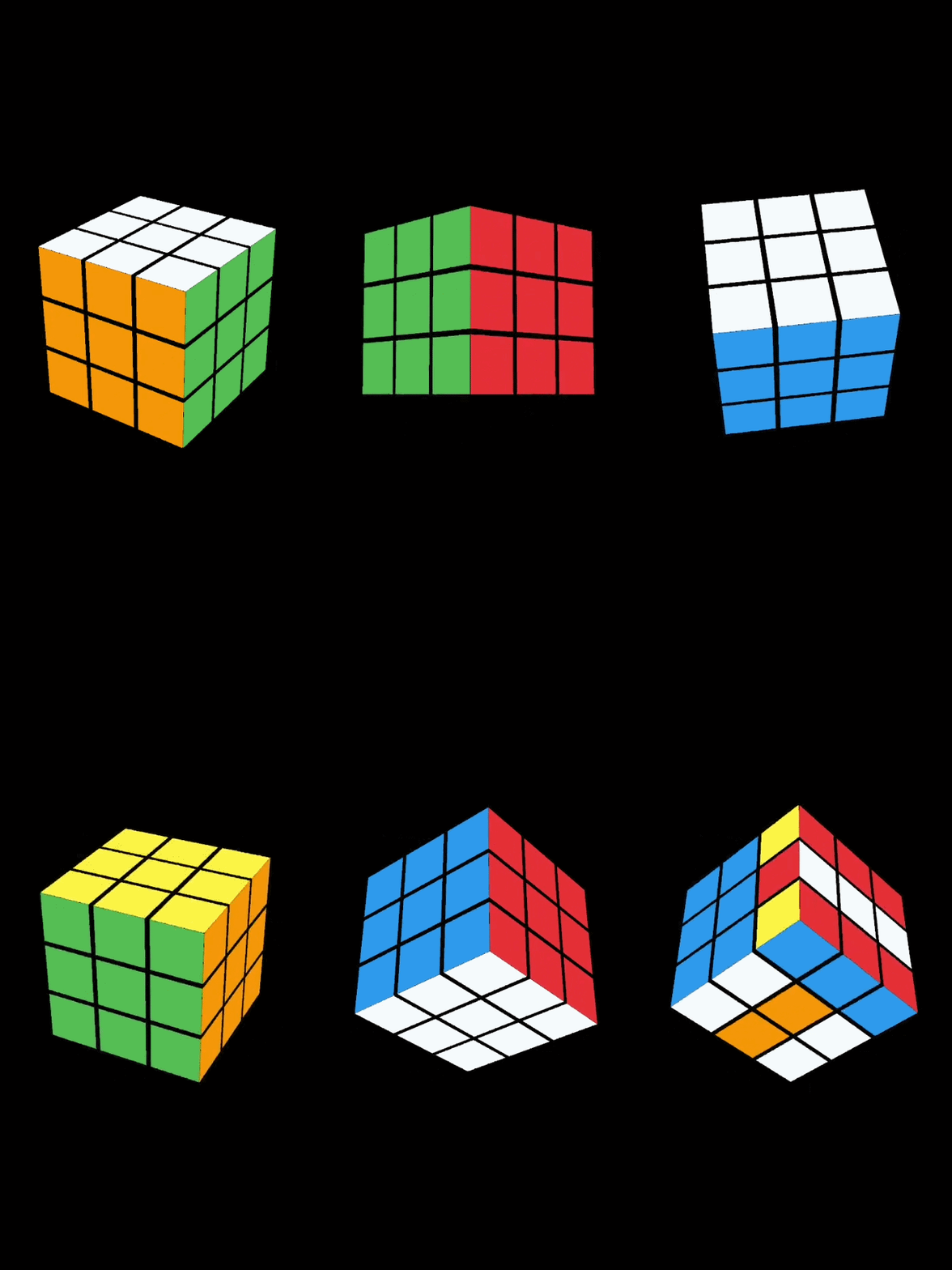
CubeController+Cube— an interactive 3D widget.- Orbit the view by dragging off the cube.
- Drag-to-turn: drag a layer and it follows your finger, snapping to the nearest quarter-turn on release.
- Tap-to-select the front-most face under the tap (never falls through to the hidden side).
- Animated, queued moves and
playSequencefor algorithms. - A display-only mode (
enableGestures: false) for non-interactive renders.
CubeColorValidator— checks whether a colouring could be a real, solvable cube (centres fixed, valid edge/corner combinations, nine of each colour).
Getting started
dependencies:
  puzzle_cube: ^0.1.0
import 'package:puzzle_cube/puzzle_cube.dart';Usage
Interactive widget
class MyCube extends StatefulWidget {
  const MyCube({super.key});
  @override
  State<MyCube> createState() => _MyCubeState();
}

class _MyCubeState extends State<MyCube> {
  final controller = CubeController(
    moveDuration: const Duration(milliseconds: 350),
    initialViewRotationX: -0.5,
    initialViewRotationY: 0.6,
  );

  @override
  void dispose() {
    controller.dispose();
    super.dispose();
  }

  @override
  Widget build(BuildContext context) {
    return SizedBox(
      width: 300,
      height: 300,
      child: Cube(
        controller: controller,
        // Enable drag-to-turn. Dragging off the cube orbits the view.
        // Commit the turn to the cube state (the gesture already showed it).
        onMove: (move) {
          controller.applyMoveInstant(move);
          debugPrint('turned $move');
        },
        // Enable tap-to-select. Reports the front-most face under the tap.
        onFaceTap: (face) => debugPrint('tapped $face'),
      ),
    );
  }
}
Buttons can drive the same controller:
ElevatedButton(onPressed: () => controller.play(CubeMove.r), child: const Text('R'));
ElevatedButton(onPressed: () => controller.play(CubeMove.r.inverse), child: const Text("R'"));
ElevatedButton(onPressed: () => controller.scramble(), child: const Text('Scramble'));
ElevatedButton(onPressed: controller.reset, child: const Text('Reset'));
ElevatedButton(onPressed: controller.resetCamera, child: const Text('Recenter'));
Apply an algorithm as an animated sequence:
controller.playSequence(const [
  CubeMove.r, CubeMove.u, CubeMove.ri, CubeMove.ui,
]);
Render a static, non-interactive cube:
Cube(controller: controller, enableGestures: false);Driving the controller
final controller = CubeController();

controller.play(CubeMove.r);                 // queue one animated turn
controller.applyMoveInstant(CubeMove.r);     // apply with no animation (commit a drag)
controller.playSequence(const [CubeMove.u]); // queue several
controller.scramble(moves: 25, seed: 42);    // reproducible scramble
controller.reset();                          // back to a solved cube
controller.resetCamera();                    // restore the initial view
controller.rotateView(dx: 0.1, dy: -0.05);   // orbit programmatically

controller.isSolved;      // solved AND idle (nothing queued/animating)
controller.isAnimating;   // a move is mid-animation
controller.hasQueuedWork; // a move is animating or queued
controller.pendingMove;   // the move currently animating, or null
controller.state;         // the underlying PuzzleCubeState
Pure model (no widget)
final cube = PuzzleCubeState.solved();
cube.applyMove(CubeMove.r);
cube.applyMove(CubeMove.u);
cube.applyMove(CubeMove.r.inverse); // R'
print(cube.isSolved); // false

final scrambled = PuzzleCubeState.random(moves: 25, seed: 42);
final json = scrambled.toJson();
final restored = PuzzleCubeState.fromJson(json);

final cubie = cube.cubieAt(1, 1, 1); // the piece at a grid position
Paint a cube ("colour my cube")
// Centres are fixed; every other sticker starts blank.
final controller = CubeController(initialState: PuzzleCubeState.colorless());

controller.setStickerColor(
  x: 1, y: 1, z: 1,
  face: CubieFace.xPos,
  color: CubeColors.green,
); // ignored on centres and while a move is animating

// Or replace the whole state at once.
controller.replaceState(PuzzleCubeState.solved());
Validate a colouring
const validator = CubeColorValidator();
final result = validator.validate(controller.state);
if (!result.isValid) {
  for (final issue in result.issues) {
    debugPrint(issue.message); // e.g. "Green appears 8 times. Expected 9."
  }
}
API reference
| Class / member | Purpose |
|---|---|
PuzzleCubeState.solved() | A solved cube. |
PuzzleCubeState.colorless() | Centres fixed, every other sticker blank. |
PuzzleCubeState.random({moves, seed}) | Reproducible scramble. |
applyMove(CubeMove) | Apply one quarter-turn in place. |
CubeController.applyMoveInstant(CubeMove) | Commit a move with no animation (used in onMove). |
cubieAt(x, y, z) | The cubie at a grid position, or null. |
setStickerColor({x, y, z, face, color}) | Paint a sticker (centres are fixed). |
isSolved, copy(), toJson()/fromJson() | State helpers. |
CubeMove / .inverse | 12 outer + 6 slice moves, with inverses. |
CubieModel, CubieFace | A single cubie and its six faces. |
CubeColors | Six colours, palette, nearest, nameOf, areOpposites. |
CubeController | Drives the widget: queue moves, orbit, scramble, paint. |
Cube | The interactive 3D widget (onMove, onFaceTap, enableGestures). |
CubeColorValidator | Real-cube colour validation. |
CubeValidationResult, CubeValidationIssue | Validation output. |
cubeFaceAtTap, cubeDragFor, CubeDrag | Low-level projection helpers. |
CubieBuilder | Builds the DiTreDi geometry for a cubie. |
Example app
A runnable demo lives in example/:
cd example
flutter run
License
MIT. See LICENSE.

